Java for Production AI Agents: Types, Tools, Governance, and Observability
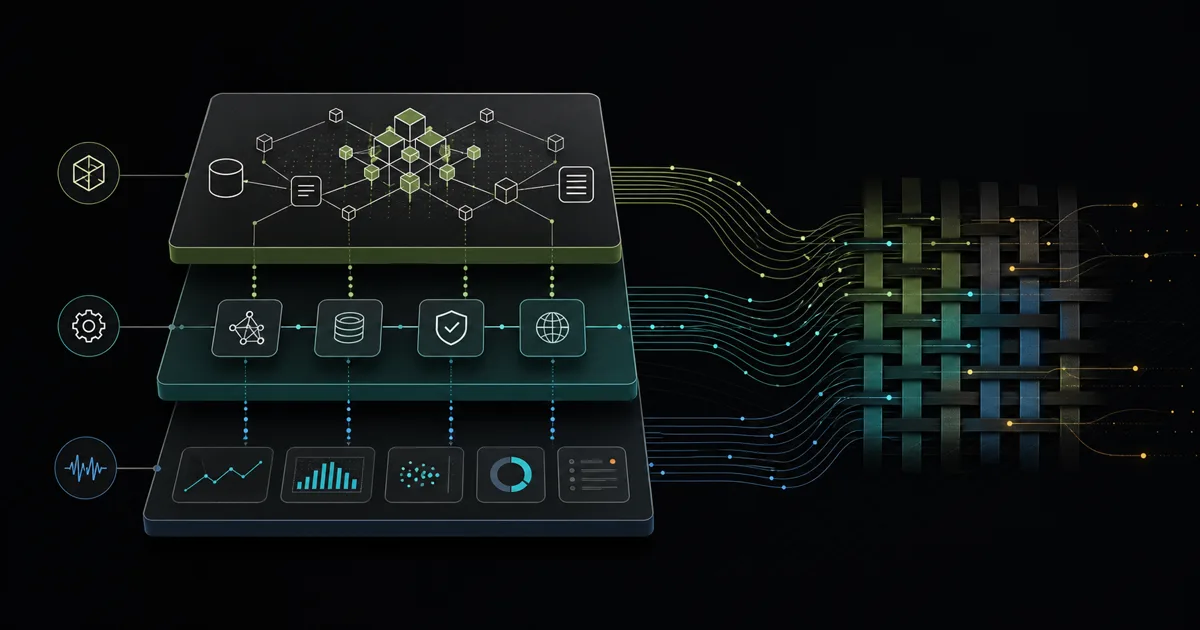
This is the article I wish I had read before building my first production AI agent on the JVM. It covers what works, what breaks, and where the real engineering effort goes once you move beyond a proof of concept.
1. Where Python Remains the Right Choice
If you are training a model, fine-tuning a LoRA adapter, or running a research experiment, you should use Python. That ecosystem holds PyTorch, Hugging Face Transformers, vLLM, Unsloth, and the most widely adopted training and inference frameworks. Nobody is arguing otherwise.
But most production AI work is not training. It is integration. It is connecting a model to your database, your API, your approval workflow, your compliance log, and your monitoring stack. Once the model is an HTTP endpoint, the language boundary opens up.
That is where Java and the broader JVM ecosystem become not just viable but advantageous — particularly in enterprises where existing systems, team expertise, and operational tooling already run on the JVM.
2. Why Java Fits Enterprise AI Integration
Enterprise applications do not call a model in isolation. They authenticate, authorise, validate input, enrich context, call multiple downstream systems, apply business rules, log decisions, and handle failures. These are not AI problems. They are software engineering problems that Java has been solving for twenty-five years.
The JVM brings: strong typing for predictable data contracts, mature threading and concurrency primitives, battle-tested transaction management, declarative security, comprehensive observability through Micrometer Observation and OpenTelemetry Java, and deployment portability across containers, Kubernetes, and bare metal.
When your AI agent needs to read from PostgreSQL, write to Kafka, send an email, await human approval, and log every step to an audit table — that is not a Python advantage. That is a Java sweet spot.
3. A Minimal Java Model Call
Let us start with the simplest possible interaction: calling an LLM from Java. The OpenAI-compatible API is JSON over HTTP, so the standard Java 21 HttpClient is enough.
var client = HttpClient.newHttpClient();

var request = HttpRequest.newBuilder()
    .uri(URI.create("https://api.openai.com/v1/chat/completions"))
    .header("Content-Type", "application/json")
    .header("Authorization", "Bearer " + apiKey)
    .POST(HttpRequest.BodyPublishers.ofString("""
        {
          "model": "gpt-4o",
          "messages": [
            {"role": "user", "content": "Explain virtual threads in Java 21"}
          ]
        }
        """))
    .build();

var response = client.send(request, BodyHandlers.ofString());
System.out.println(response.body());
This works. But it is also where most Java-AI tutorials stop, and where the real engineering should begin. A raw JSON string, no type safety, no error handling, no retry, no streaming, no structured output. Fine for a quick experiment. Dangerous for production.
TramAI starts from a different premise: the AI boundary should look like a typed application service, not a provider response that every caller has to parse. Spring AI and LangChain4j can also return typed objects, but their APIs and enforcement options make different trade-offs. We will compare the same operation below.
4. Why the API Call Is the Easy Part
A production agent does not just call a model. It must:
- Manage conversation state across multiple turns
- Handle token limits and context window pressures
- Retry on transient failures with exponential backoff
- Stream responses for user-facing latency
- Parse and validate model output before acting on it
- Enforce timeouts and circuit-break degraded endpoints
- Log every interaction for debugging and compliance
Each of these is well-supported by the Java ecosystem. The challenge is that most AI tutorials skip them entirely, leaving teams to rediscover every pitfall in production.
5. Typed Structured Output
The most important shift from prototype to production is moving from raw strings to typed, validated structures. A model returning unstructured text is a liability. A model returning a validated Java record is an integration point. Here is the same lead-qualification operation in TramAI, Spring AI, and LangChain4j.
public record LeadQualification(
    String companyName,
    String contactEmail,
    @JsonProperty("company_size") String companySize,
    String interestArea,
    boolean isQualified
) {}@AiService
public interface LeadQualifier {
@Operation(
prompt = "Qualify this lead and return a structured result",
model = "gpt-4o"
)
LeadQualification qualify(String description);
}
Tramai tramai = Tramai.builder()
.provider(
new OpenAiProvider(System.getenv("OPENAI_API_KEY")),
"openai",
true
)
.model("gpt-4o", "openai")
.build();
LeadQualifier qualifier = tramai.create(LeadQualifier.class);
LeadQualification lead = qualifier.qualify(
"A Berlin startup with 12 employees needs a custom CRM"
);LeadQualification lead = chatClient.prompt()
.user("A Berlin startup with 12 employees needs a custom CRM")
.call()
.entity(LeadQualification.class, spec -> spec
.useProviderStructuredOutput()
.validateSchema());interface LeadQualifier {
@UserMessage(
"Qualify this lead and return a structured result: {{it}}"
)
LeadQualification qualify(String description);
}
LeadQualifier qualifier = AiServices.create(
LeadQualifier.class,
model
);
LeadQualification lead = qualifier.qualify(
"A Berlin startup with 12 employees needs a custom CRM"
);
TramAI makes the Java interface the primary contract: the non-String return type drives schema generation, parsing, validation, and corrective retry in the runtime. Spring AI exposes provider-native enforcement and validation as explicit entity options. LangChain4j maps an AI Service return type into a Java object, with strict schema behavior depending on the configured model and its supported capabilities. In all three cases, the declared type gives downstream code compile-time safety while model conformance is still enforced at runtime. Compare the official documentation for TramAI structured output, Spring AI structured output, and LangChain4j structured outputs.
6. Tools and Business-System Integration
An agent that cannot act on its conclusions is a toy. A production agent needs tools — functions the model can invoke to read from databases, call APIs, send notifications, or mutate state.
The important question is not only how a tool is implemented, but how it becomes available to a model. These examples expose customer lookup and order history while keeping the registration boundary visible:
@Component
public class CustomerTools {
    @AiTool(
        name = "find_customer",
        description = "Look up a customer by email",
        sideEffectLevel = SideEffectLevel.READ_ONLY
    )
    Customer findCustomer(CustomerLookup input) {
        return customerRepository.findByEmail(input.email());
    }

    @AiTool(
        name = "get_orders",
        description = "Get recent customer orders",
        sideEffectLevel = SideEffectLevel.READ_ONLY
    )
    List<Order> getOrders(OrderLookup input) {
        return orderRepository.findByCustomerId(
            input.customerId()
        );
    }
}

@AiService
public interface CustomerAssistant {
    @Operation(
        prompt = "Answer using customer and order data",
        model = "gpt-4o",
        tools = {"find_customer", "get_orders"}
    )
    String answer(String request);
}

String response = assistant.answer(
    "Show orders for john@example.com"
);
@Component
public class CustomerTools {
@Tool(description = "Look up a customer by email")
Customer findByEmail(String email) {
return customerRepository.findByEmail(email);
}
@Tool(description = "Get recent customer orders")
List<Order> getOrders(
@ToolParam(description = "Customer ID") Long id
) {
return orderRepository.findByCustomerId(id);
}
}
String response = chatClient.prompt()
.user("Show orders for john@example.com")
.tools(customerTools)
.call()
.content();class CustomerTools {
@Tool("Look up a customer by email")
Customer findByEmail(String email) {
return customerRepository.findByEmail(email);
}
@Tool("Get recent customer orders")
List<Order> getOrders(Long customerId) {
return orderRepository.findByCustomerId(customerId);
}
}
CustomerAssistant assistant = AiServices
.builder(CustomerAssistant.class)
.chatModel(model)
.tools(new CustomerTools())
.build();
TramAI's Spring module discovers @AiTool methods and registers the @AiService proxy as an injectable bean, while each @Operation(tools = {...}) remains an explicit allowlist; an operation with no listed tools exposes none. There is no separate @Tools annotation in the current API. Standalone applications instead register TramaiTool instances through the builder. Spring AI registers tool objects on the request or client. LangChain4j attaches tool objects while building the AI Service. In each case, the model requests a tool call, but ordinary Java code still executes the repository, validation, transaction, and audit logic. The corresponding references are TramAI tool calling, Spring AI tool calling, and LangChain4j tools.
7. Permissions and Approval Boundaries
The hardest production problem is not getting the model to call a tool. It is controlling which tools it may call, for which users, under which circumstances.
- A customer-support agent can read orders but not cancel them unilaterally.
- An internal ops agent can query the database but never execute
DELETE. - A document agent can draft an email but must route it through human approval before sending.
This requires an explicit authorization layer at the agent level — not at the model level, where it is unreliable, but at the orchestration level, where it is enforceable. Tools should be grouped into scopes with approval requirements that cannot be bypassed by jailbreaking the model.
TramAI, a JVM-native runtime for governed AI agents, treats approval workflows as a first-class concern. You configure which tools trigger an approval workflow through the policy engine, and the runtime suspends execution, stores the continuation, and only resumes after an authorized decision.
// Minimum approval infrastructure using TramAI's documented builder.
val coordinator = DefaultApprovalGateCoordinator(
    store = InMemoryApprovalStore(),
    approvalIdGenerator = UuidApprovalIdGenerator,
    approvalTokenGenerator = SecureRandomApprovalTokenGenerator,
    approvalTokenDigester = Sha256ApprovalTokenDigester,
    decisionValidator = AllowAnyApprovalDecisionValidator,
    maxApprovalTtl = Duration.ofMinutes(15),
)

val tramai = Tramai {
    provider(openAiProvider, name = "openai", default = true)
    model("gpt-4o", "openai")
    approvalGateCoordinator(coordinator)
    approvalContinuationStore(InMemoryApprovalContinuationStore())
    toolArgumentsDigester(Sha256ToolArgumentsDigester)
}
This is not an add-on. It is architectural. When policy requires approval, the runtime suspends execution, stores a continuation, and waits for an authorized decision. The in-memory stores above are suitable for demonstrating the API; production deployments need a durable store if approvals must survive process restarts. If your agent's permission boundaries are enforced only by a system prompt, you do not have security. You have suggestions.
8. Provider Portability and Self-Hosted Models
Vendor lock-in is the silent tax of AI integration. Most tutorials hardcode a single provider, a single model, and a single endpoint. In production, you want the ability to switch providers, run benchmarks across models, swap in a cheaper model for simple classification tasks, and host your own models behind a compatible API.
All three options can keep business code independent of a provider, but they place routing policy at different levels. The following examples express the same cloud-versus-local requirement:
# application.yml
tramai:
  default-provider: openai
  models:
    gpt-4o: openai
  fallbacks:
    gpt-4o:
      - provider: ollama
        model: llama3.1:8b
  resilience:
    circuit-breaker:
      enabled: true
      failure-threshold: 3
  providers:
    openai:
      api-key: ${OPENAI_API_KEY}
    ollama:
      base-url: http://localhost:11434

# CustomerAssistant's @Operation(model = "gpt-4o")
# now follows this ordered route automatically.
ChatClient cloud = ChatClient.create(openAiModel);
ChatClient local = ChatClient.create(ollamaModel);
ChatClient selected = useLocalModel
? local
: cloud;
String response = selected.prompt()
.user("Qualify this lead")
.call()
.content();
// Add Resilience4j or application-level failover
// when automatic fallback is required.ChatModel model = useLocalModel
? OllamaChatModel.builder()
.baseUrl("http://localhost:11434")
.modelName("llama3.1:8b")
.build()
: OpenAiChatModel.builder()
.apiKey(System.getenv("OPENAI_API_KEY"))
.modelName("gpt-4o")
.build();
String response = model.chat("Qualify this lead");TramAI stores the primary route, fallback model, provider, and circuit-breaker behavior in the runtime configuration. Spring AI and LangChain4j make changing the concrete model straightforward, but an automatic fallback policy still belongs in your application or resilience layer. See TramAI provider routing, Spring AI multiple-model configuration, and LangChain4j chat models.
This matters more than most teams realise. When a provider changes pricing, deprecates a model, introduces latency spikes, or goes down, your application should have a tested migration or fallback path. An abstraction reduces the affected code, but it does not remove differences in model behavior, capabilities, or configuration.
9. Testing, Auditability, and Observability
AI agents introduce non-determinism into systems that were previously deterministic. That does not mean testing is impossible. It means testing strategy must evolve.
- Unit tests for tool logic, routing, and approval gates — standard JUnit.
- Integration tests with mock model endpoints (WireMock or a local Ollama instance) that return fixture responses.
- Evaluation tests that run real model calls against golden datasets and assert output structure, not exact text.
- Regression tests that replay production traces through the agent and verify decisions match expected outcomes.
The telemetry hook is also different in each framework. These minimal configurations instrument the model or agent call without enabling prompt and completion capture:
var observer = new OpenTelemetryOperationObserver(
    openTelemetry,
    "customer-lead-agent"
);

Tramai tramai = Tramai.builder()
    .provider(openAiProvider, "openai", true)
    .model("gpt-4o", "openai")
    .observer(observer)
    .build();

// Every provider attempt now emits spans and metrics,
// including retries, parse failures, and token usage.
ChatClient client = ChatClient.create(
openAiModel,
observationRegistry
);
String response = client.prompt()
.user("Qualify this lead")
.call()
.content();
// With Actuator and a tracing bridge, Spring AI
// emits ChatClient and ChatModel observations.var listener =
new MicrometerMetricsChatModelListener(meterRegistry);
ChatModel model = OpenAiChatModel.builder()
.apiKey(System.getenv("OPENAI_API_KEY"))
.modelName("gpt-4o")
.listeners(List.of(listener))
.build();
String response = model.chat("Qualify this lead");
Observability is equally critical. Every model call, tool invocation, approval decision, and failure should produce structured logs with trace IDs that span the entire agent lifecycle. TramAI observes each engine attempt through its OperationObserver; Spring AI integrates with Micrometer Observation at the client and model layers; LangChain4j attaches listeners to supported model implementations. Keep prompt and completion payload logging disabled unless you have an explicit redaction and retention policy. See TramAI observability, Spring AI observability, and LangChain4j observability. An agent that cannot be debugged after the fact is an incident waiting to happen.
10. Run the Companion Example
The companion project on GitHub turns the raw HTTP section into an executable Java 21 example. It starts a local OpenAI-compatible mock endpoint, performs the request, parses the nested structured result with Jackson, validates it as a Java record, and exits. No API key or network call is required.
cd examples/java-production-ai-agents
./run.sh
To exercise the same client against a compatible provider, set AI_API_KEY, AI_BASE_URL, and optionally AI_MODEL, then run ./run.sh --live. Keeping the transport example small makes the boundary visible; the framework tabs above show where TramAI, Spring AI, or LangChain4j take over structured mapping and orchestration.
11. Choosing Between Spring AI, LangChain4j, and TramAI
The Java AI ecosystem has several options, each with a different scope:
- Spring AI — Best if you are already on Spring Boot. Provides structured output, tool integration, document ingestion, and RAG through the familiar autoconfiguration and bean model. The fastest path from "Java project" to "AI-enabled service."
- LangChain4j — A framework-agnostic alternative with a broader set of built-in tool integrations, memory providers, and model support. Well-suited if you need flexibility outside the Spring ecosystem or want more connector options out of the box.
- TramAI — A JVM-native runtime that sits alongside the model layer and provides governance, approval workflows, audit trails, and deployment control. Not an agent framework — it is a bounded orchestration and policy layer for scenarios where you need to know who approved what, which model was used, and where the data went.
These are overlapping choices, not a pipeline. Spring AI and LangChain4j both provide model abstraction and tool integration, so pick one based on your framework and feature requirements. TramAI is an alternative runtime when bounded workflows, approval gates, audit trails, and sovereign deployment controls are central requirements. Do not assume these libraries wrap one another transparently: start with one, and introduce another service or integration boundary only when a concrete requirement justifies the additional framework.
12. A Small Working Architecture
Here is what a production-ready Java AI agent architecture looks like in practice:
┌────────────────────────────────────────────────────┐
│                    User / API Gateway                │
└─────────┬──────────────────────────────┬─────────────┘
          │                              │
          ▼                              ▼
┌──────────────────┐   ┌─────────────────────────────┐
│  TramAI Runtime   │   │  Approval Dashboard         │
│                   │   │  (human-in-the-loop UI)     │
│  · Auth & scopes  │   └─────────────────────────────┘
│  · Policy engine  │
│  · Approval gates │
│  · Tool execution │
│  · Audit logging  │
└─────────┬─────────┘
          │
    ┌─────┴─────┐
    ▼           ▼
┌────────┐ ┌──────────┐
│ Model  │ │  Tools   │
│ Layer  │ │  Layer   │
│ OpenAI │ │ Database │
│ Ollama │ │ APIs     │
│ vLLM   │ │ Email    │
│ etc    │ │ Kafka    │
└────────┘ │ Files    │
           └──────────┘
The key insight: the runtime orchestrates both model calls and tool execution through a single policy engine. Approval gates are enforced in the tool-execution path — the runtime intercepts tool invocations, checks the policy, suspends if needed, and only resumes after the gate clears. The model never calls tools directly; it requests them through the runtime.
13. Where to Go From Here
If you are a Java developer exploring AI agents, start with the tools you already know. Add Spring AI or LangChain4j to your existing project. Expose one business operation as a tool. Call a model with typed output. See how far you get with just the ecosystem you already have.
When approval workflows, audit requirements, provider routing, or deployment control become central to the design, evaluate TramAI as the runtime for that bounded workflow. The TramAI documentation covers its approval gates, provider orchestration, and deterministic execution engine.
If your team needs a production AI agent built on the JVM — with proper governance, typed tools, and an architecture designed for regulated environments — Constant Labs builds these systems for companies across the Netherlands, Italy, and the EU.
The first API call is easy. Everything after that is engineering.
Sources and Further Reading
- TramAI documentation — typed services, tool policies, approvals, and runtime architecture.
- Spring AI reference documentation — ChatClient, structured output, models, and tools.
- LangChain4j documentation — AI Services, structured outputs, tools, and model integrations.
- Java 21 HttpClient API — the standard HTTP transport used by the companion example.
- OpenTelemetry Java and Micrometer Observation — tracing and observation primitives for JVM services.